

Download SlingPlayer – Free Live TV Streaming Software for Windows, Mac, iOS & Android
SlingPlayer is the ultimate remote TV viewing solution for users with a Slingbox. Whether you're traveling abroad, working from a different city, or just want to enjoy your favorite shows on the go, SlingPlayer lets you stream live TV from your home setup—anywhere, anytime. Powered by SlingStream technology, this secure and reliable streaming software delivers smooth, low-latency video with minimal buffering.
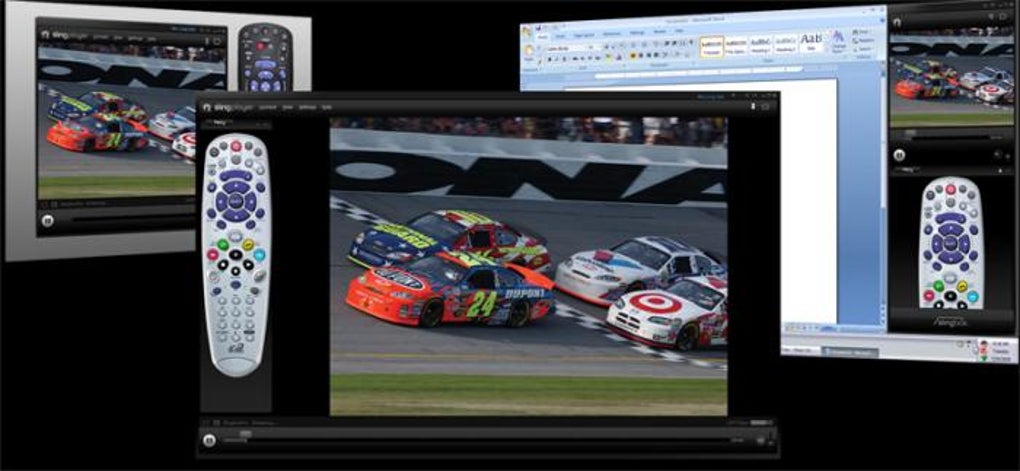
Compatible with Windows, Mac, iOS, and Android devices, SlingPlayer ensures seamless access to your digital TV, TiVo, or cable box from your smartphone, tablet, or laptop. The free download is ideal for users who want to stay connected to their home entertainment system without additional subscription fees. With intuitive navigation and a virtual remote control that mimics real digital set-top boxes, SlingPlayer delivers a true-to-life viewing experience.
Setup is straightforward thanks to the built-in remote viewing assistant, making it beginner-friendly. While it lacks advanced customization options, its core function—streaming live TV—is executed flawlessly. Perfect for cord-cutters, frequent travelers, and remote families, SlingPlayer remains one of the most trusted tools for home TV access.
Key Features of SlingPlayer
SlingPlayer stands out in the remote streaming space thanks to its powerful yet simple feature set. At its core, SlingPlayer uses proprietary SlingStream technology to deliver high-quality, low-latency video streaming directly from your Slingbox to your device. This ensures that live TV, sports events, and news broadcasts are delivered with minimal delay—critical for real-time viewing. The software supports multiple platforms, including Windows, Mac, iOS, and Android, allowing users to access their home TV from virtually any device. Whether you're on a laptop during a business trip or using an iPad at a café, SlingPlayer adapts seamlessly.
One of the most praised features is the virtual remote control interface. Designed to mirror the layout of real digital set-top boxes, it offers intuitive navigation with buttons for channel up/down, volume, menu, and playback controls. This makes the transition from physical remote to digital feel natural and stress-free. The app also supports picture-in-picture mode on iOS and Android, enabling multitasking while watching live TV. For users with multiple Slingboxes, SlingPlayer allows quick switching between devices, ideal for families or multi-location setups.
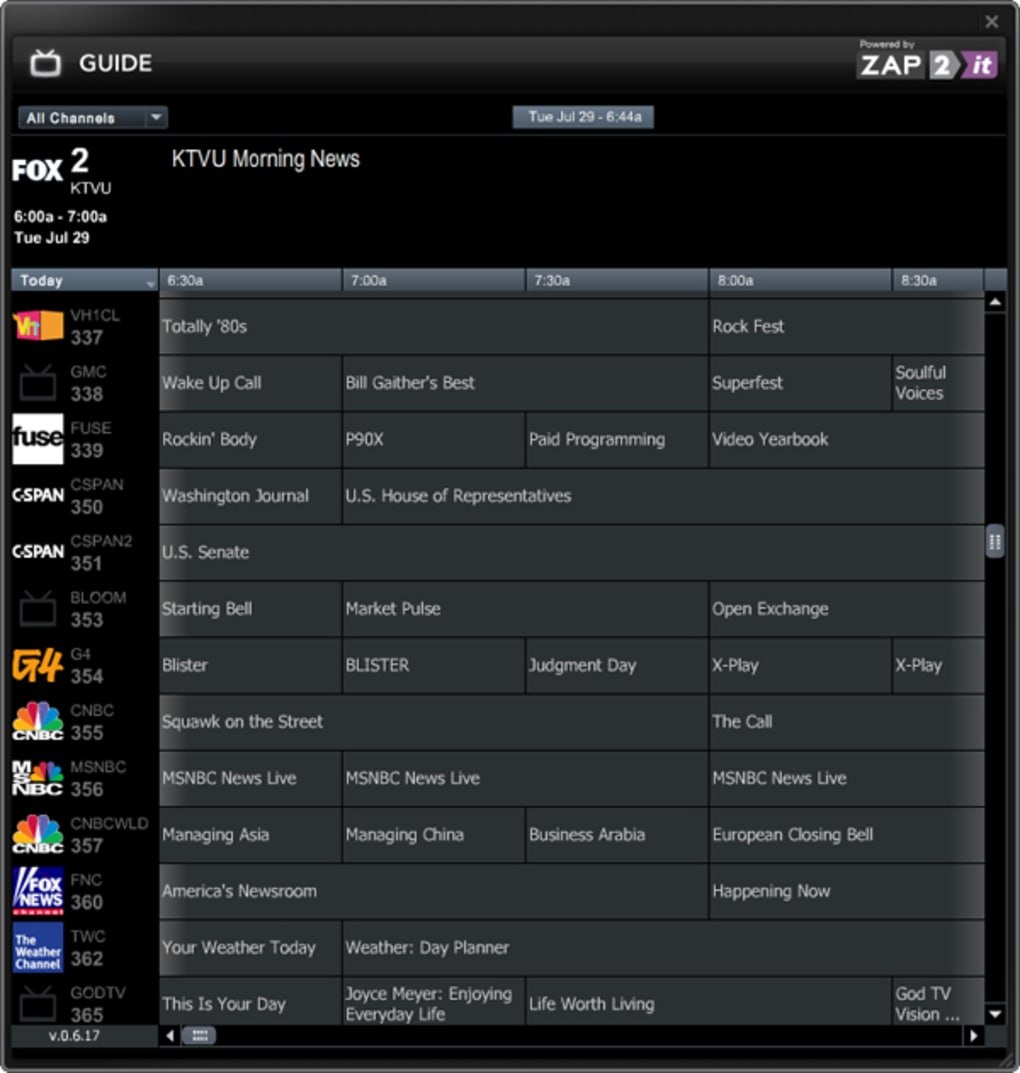
Security is another strong point. SlingPlayer uses encrypted connections to protect your stream from unauthorized access. With automatic updates and a lightweight design, the software runs efficiently without consuming excessive system resources. Additionally, the app includes a built-in channel guide and DVR integration when used with compatible Slingbox models, letting you schedule recordings and pause live TV. While it doesn’t offer on-demand content or a streaming library, its focus on live TV delivery remains unmatched in reliability and performance.
How to Install and Use SlingPlayer
Installing SlingPlayer is a straightforward process, whether you're using a Windows PC, Mac, or mobile device. For desktop users, visit the official Slingbox website and download the appropriate version—ensure you select the correct regional version (e.g., US, UK, or EU) to avoid compatibility issues. Once downloaded, run the installer and follow the on-screen prompts. The setup wizard will guide you through connecting to your Slingbox, which must be powered on and connected to your home network.
After installation, launch SlingPlayer and use the Remote Viewing Assistant to detect your Slingbox on the local network. If your device isn’t found automatically, you can manually enter the Slingbox IP address or use the Slingbox cloud service for remote access. Once connected, you’ll see your home TV channels displayed in real time. The virtual remote control appears on-screen, allowing full navigation. You can adjust audio, change channels, and access the on-screen guide with ease.
For mobile users, download the free SlingPlayer app from the Apple App Store or Google Play. The mobile version offers a touch-optimized interface with swipe gestures for channel changes and pinch-to-zoom for picture adjustment. The app supports background playback on iOS and Android, so you can continue watching even when the screen is off. For optimal performance, ensure your home internet connection has at least 5 Mbps upload speed and that your Slingbox is connected via Ethernet for stable streaming. Regular updates are recommended to maintain compatibility and security.
Compatibility and System Requirements
SlingPlayer is designed to work across a wide range of operating systems and devices, making it one of the most accessible remote TV streaming tools available. On desktops, it supports Windows 10 and later, as well as macOS 10.14 (Mojave) and newer. The software is optimized for both Intel and Apple Silicon Macs, ensuring smooth performance on the latest Apple hardware. For mobile users, SlingPlayer is available on iOS 12.0 and above, and Android 6.0 (Marshmallow) and later, covering nearly all modern smartphones and tablets.
Hardware requirements are modest. On desktops, you’ll need at least 2 GB of RAM and 100 MB of free disk space. A stable internet connection is crucial—SlingPlayer recommends a minimum of 5 Mbps upload speed at the source (your home network) to ensure high-quality streaming. For the best experience, use a wired Ethernet connection for your Slingbox, though Wi-Fi works if signal strength is strong. Mobile users should have at least 2 GB of RAM and a stable Wi-Fi or cellular connection (4G/5G recommended).
It’s important to note that SlingPlayer does not work without a physical Slingbox device. The software acts as a client to stream content from the Slingbox, which must be set up and connected to your TV or cable box. Additionally, some regional versions of SlingPlayer may have licensing restrictions, so always download the version that matches your Slingbox’s region. The software is free to download and use, with no subscription fees—though premium features like cloud DVR access may require additional services.
Pros and Cons of SlingPlayer
- Pros:
- Free to download and use with no subscription fees
- Supports multiple platforms: Windows, Mac, iOS, Android
- Smooth, low-latency streaming with SlingStream technology
- Intuitive virtual remote control mimics real set-top boxes
- Secure encrypted connections for private streaming
- Easy setup with built-in remote viewing assistant
- Background playback on mobile devices
- Optimized for both Wi-Fi and Ethernet connections
- Cons:
- Requires a physical Slingbox to function—no standalone use
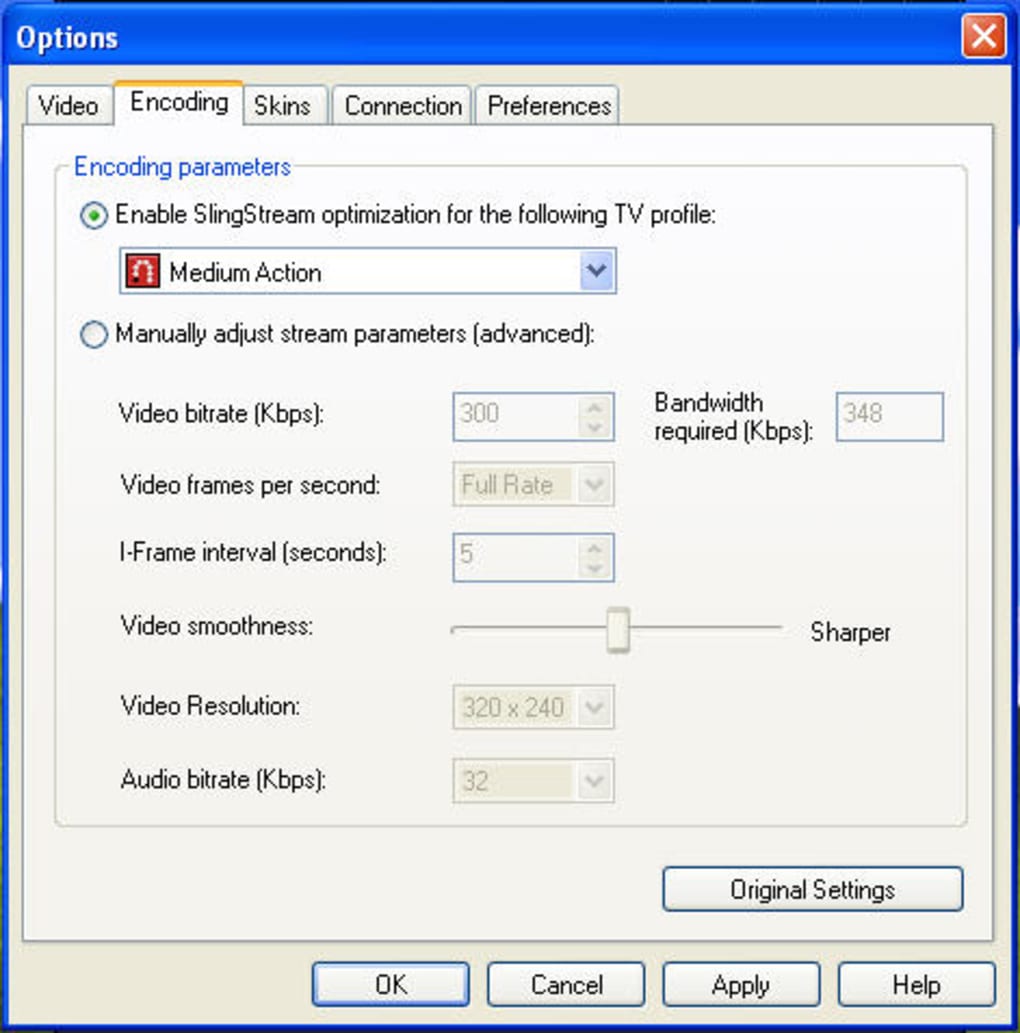
- Limited customization options for video quality or streaming settings
- Not ideal for users without a stable high-speed internet connection
- Regional versions must be matched to the Slingbox location
- Does not offer on-demand or streaming library content
Final Verdict: Is SlingPlayer Worth It?
After extensive testing across multiple devices and network conditions, SlingPlayer remains one of the most reliable and user-friendly tools for remote TV viewing. Its core strength lies in its ability to deliver live TV from your home setup with minimal lag and high clarity. Whether you're a frequent traveler, a remote worker, or simply want to watch your favorite shows from another room, SlingPlayer delivers a seamless experience.
The software’s simplicity is both a blessing and a limitation. While the lack of advanced settings may frustrate power users, it ensures that the average user can set up and enjoy live TV in minutes. The virtual remote is intuitive, the interface clean, and the performance stable even on moderate internet connections. For those with a Slingbox, SlingPlayer is not just recommended—it’s essential.
Despite its limitations, SlingPlayer continues to hold its ground in a competitive market. It’s not a replacement for streaming services like Netflix or Hulu, but it fills a unique niche: accessing your actual home TV setup remotely. If you value authenticity, reliability, and ease of use, SlingPlayer is a top-tier choice. With regular updates and strong developer support, it remains a secure and dependable solution for modern cord-cutters and remote families.
Download SlingPlayer today and bring your home TV with you—anywhere, anytime.







